
Commerce · Engineering-led
Festool
The tool, the tutorial, and the spare part. One app.
Festool's app starts with the machine in a tradesperson's hand. We worked on Bluetooth pairing, live tool and battery status, settings that are usually hidden behind button combinations, tutorials matched to the connected tool, and commerce that appears when a machine needs something.
- Mobile
- IoT
- E-commerce
- Product Design
The details
that carry it.
Scroll →
A tool is not a SKU
Most manufacturer apps are a catalogue with a login. Festool’s problem is different: the tools are connected, they belong to a system of batteries and dust extractors and consumables, and the person holding one is standing on a site with gloves on. The app has to be a control surface first and a shop second, and the shop only earns its place because the tool told it what you were about to run out of.
Within reach, out of reach
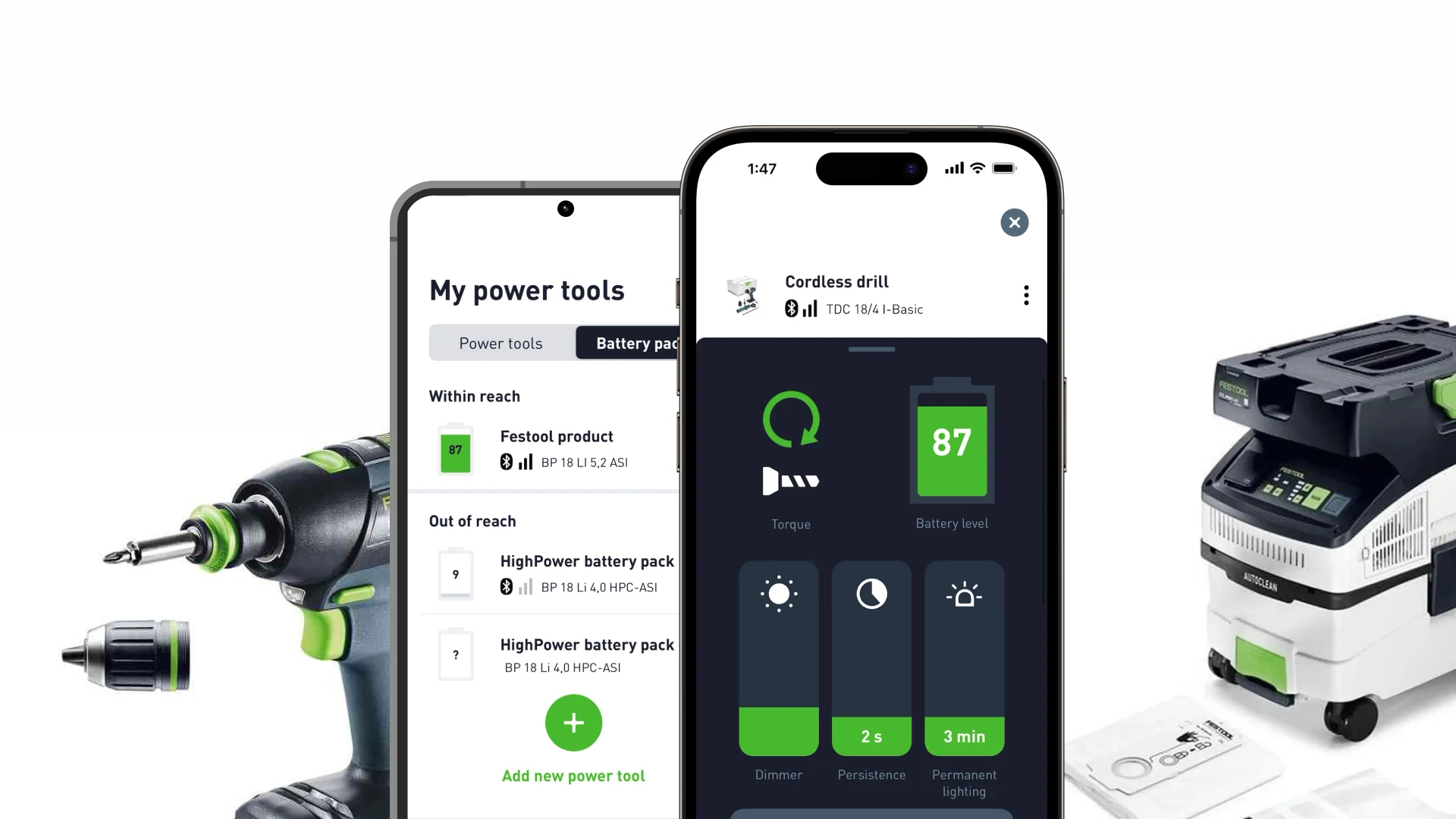
The inventory screen is the quiet centrepiece. Every paired tool and battery, sorted by whether it is within reach or out of reach, because on a real site the question is rarely “what do I own” and almost always “where is the 5.2Ah pack, and does it have anything left in it”. A battery reading 9 two rooms away is a different problem from one reading 87 on the bench.
Learn the machine from the machine
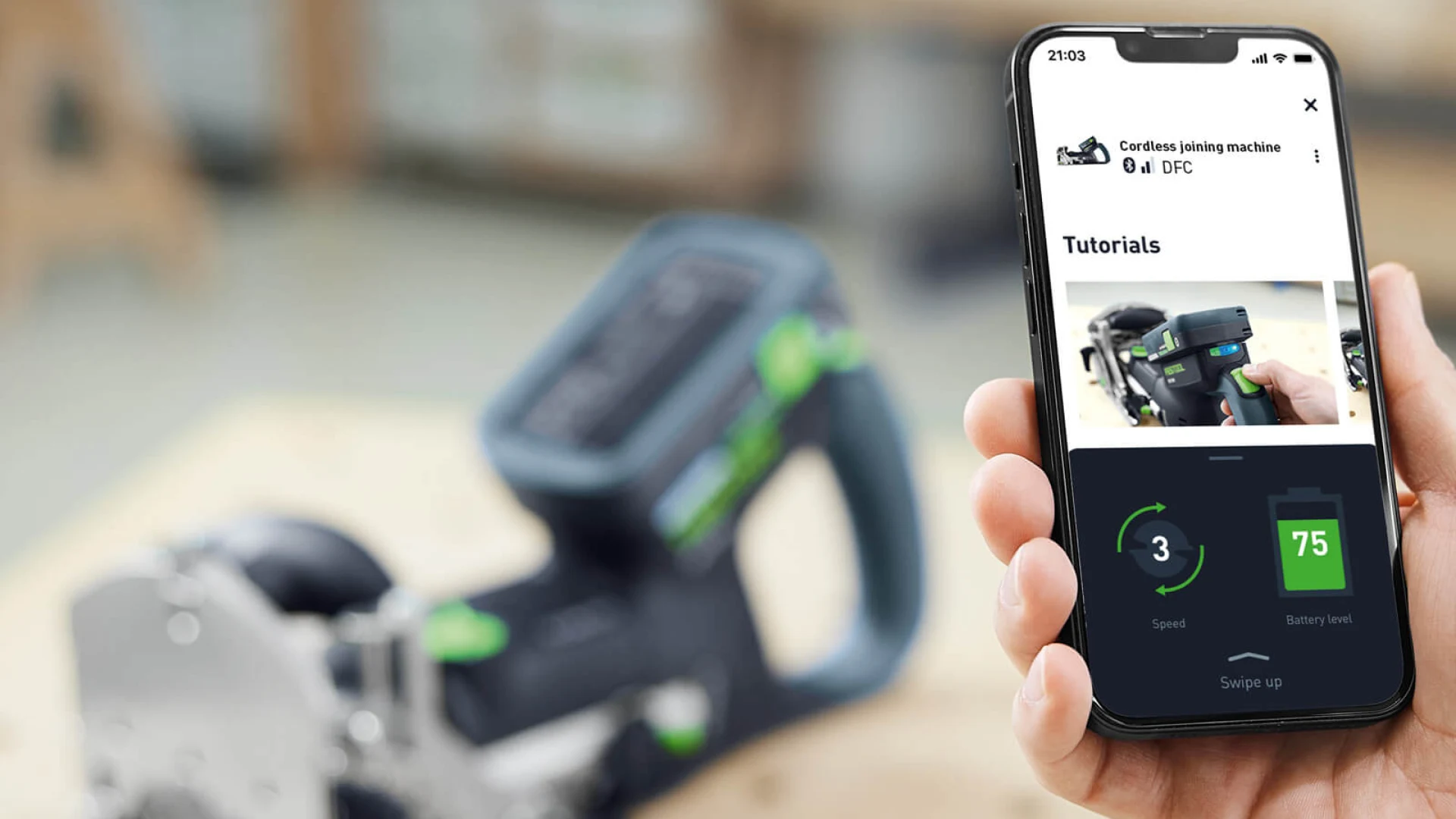
Pair a cordless joining machine and the app knows which one it is, so the tutorials are for that tool rather than a search result. Speed and battery sit underneath, live. It is the difference between documentation and a manual that happens to be attached to the thing it describes.
Settings that live on the tool
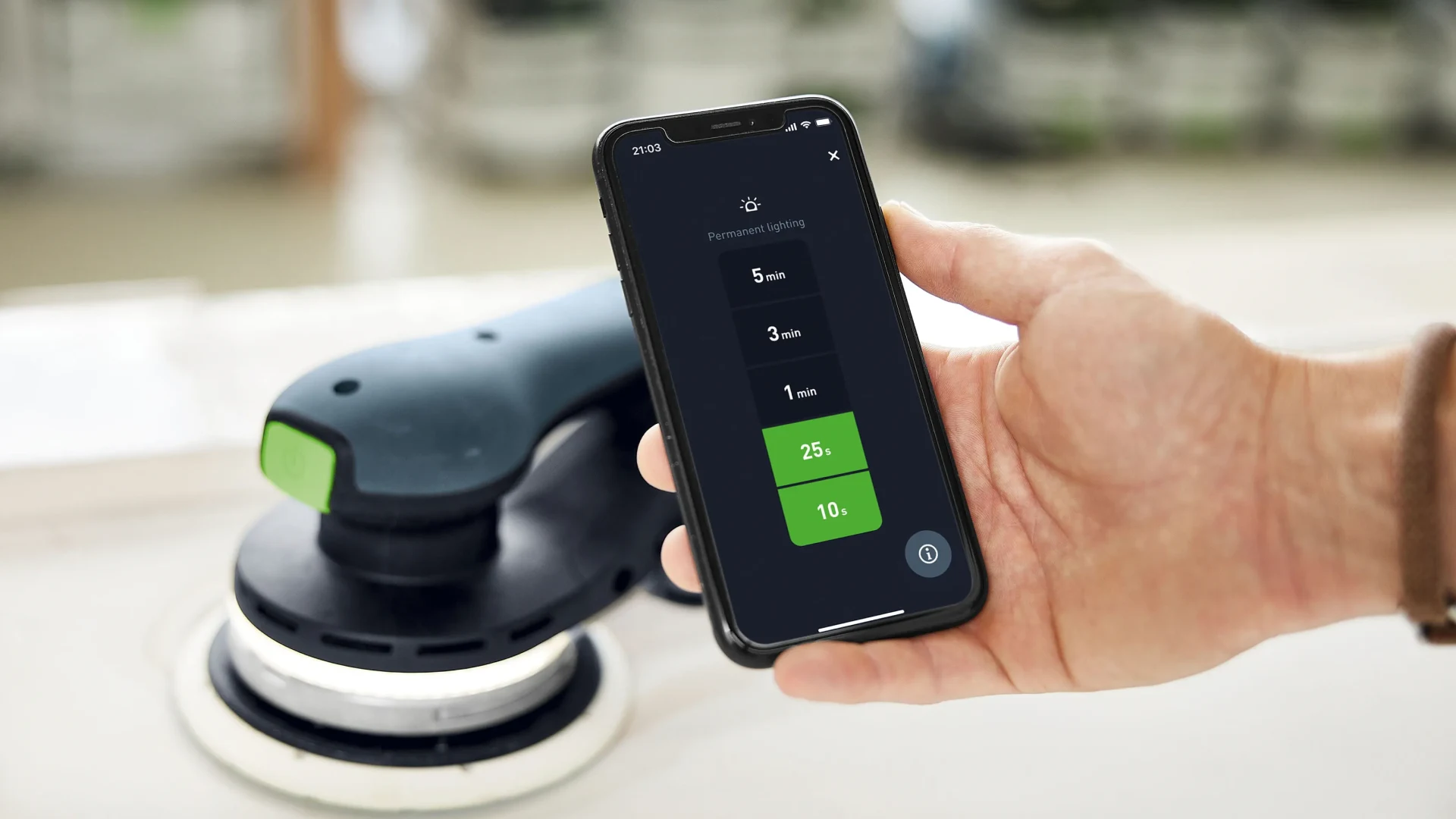
Torque, dimmer, persistence, permanent lighting. These are settings a tool would normally hide behind a button combination and a diagram in a folded manual. Putting them on a phone screen is not a novelty: it is the only place there is room to name them, show their current value, and let someone change one without stopping work.
Then, and only then, the shop
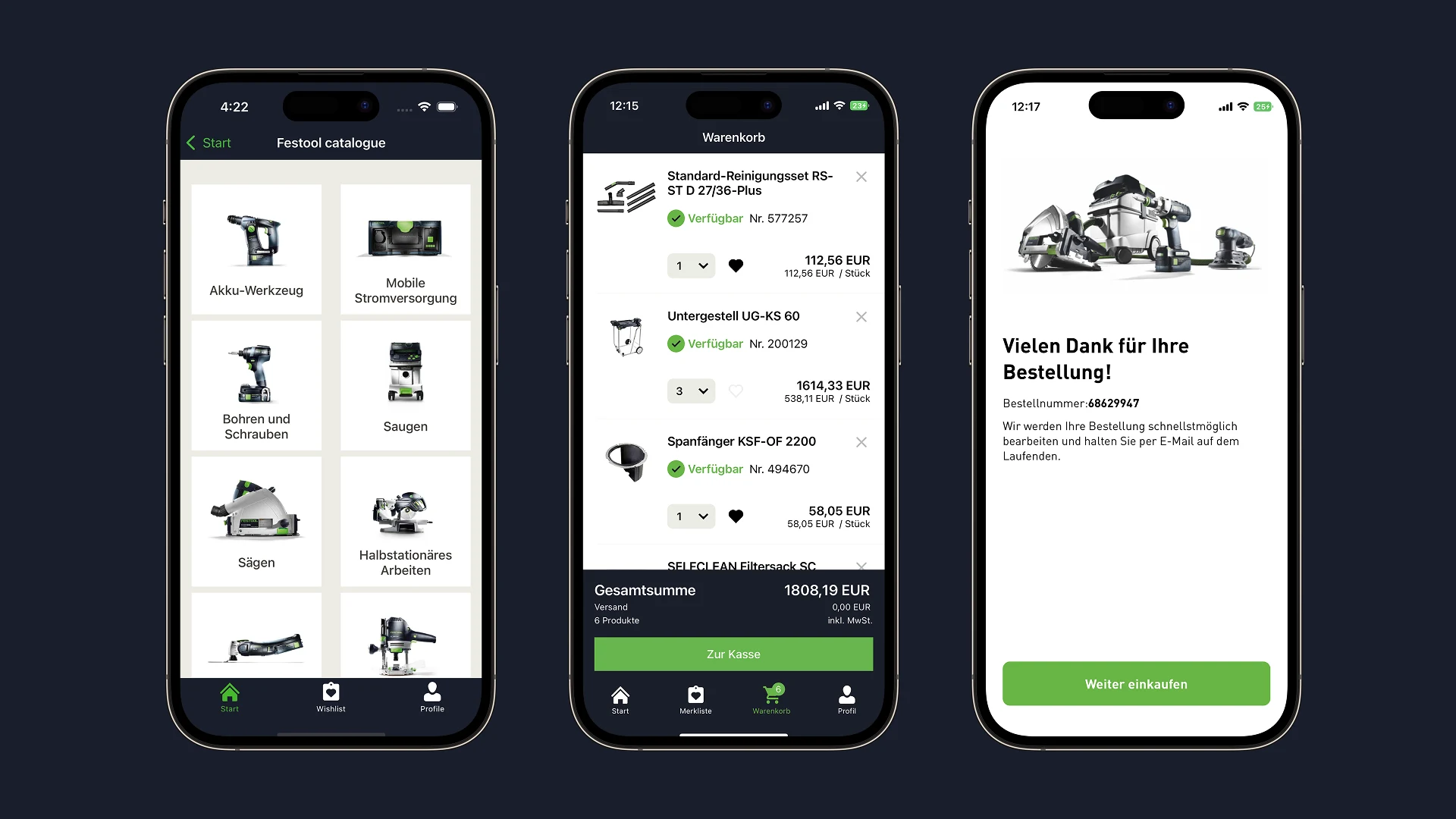
Commerce is folded into the app the tools already live in: catalogue, availability, cart, confirmation, in the buyer’s own language. Wishlist for saving, one-click for repeat orders, and payment that accepts what tradespeople actually use. Nobody opens this app to shop. They open it because a machine needs something, which is the best possible moment for a shop to be one tap away.